
10% Progress

Activate Your Flow Fusion Account

Check your email to activate your Flow Fusion CRM account.  (Please make sure to check your spam or junk folder

1. Check your inbox for the activation email 
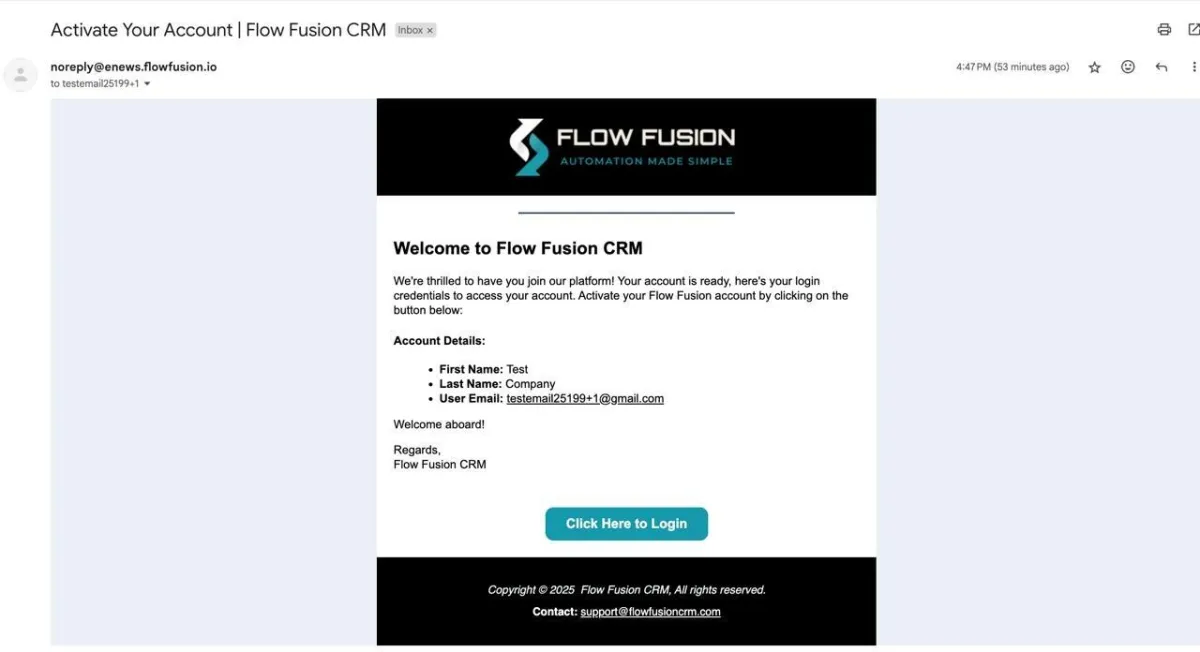
2.  Click the button "Click here to login" and a new page will open up to set up your new password
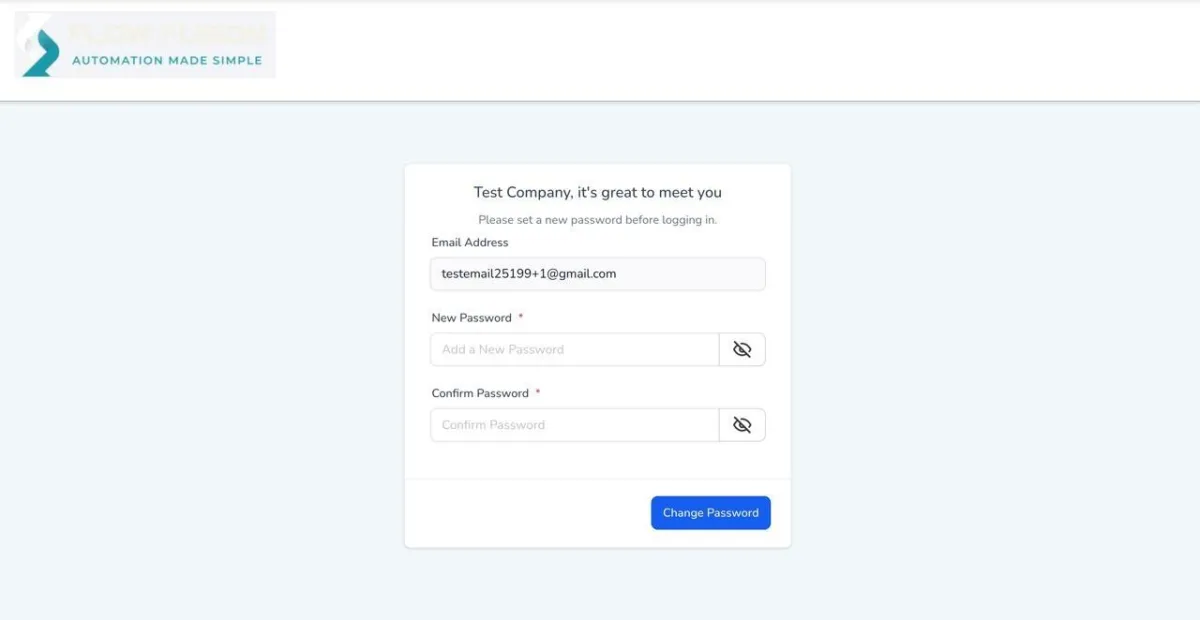
3. Once password is changed, go to https://app.flowfusion.io/ and login using your email and the password you've set. 

4. After logging in, follow the next list from your onboarding checklist. 

Note: If you’ve already checked your spam or junk folder and still haven’t received the activation link, please reach out to our support team at support@flowfusioncrm.com so we can look into it and provide your activation as soon as possible.